1
Upgrade your design with a UI library MCP.
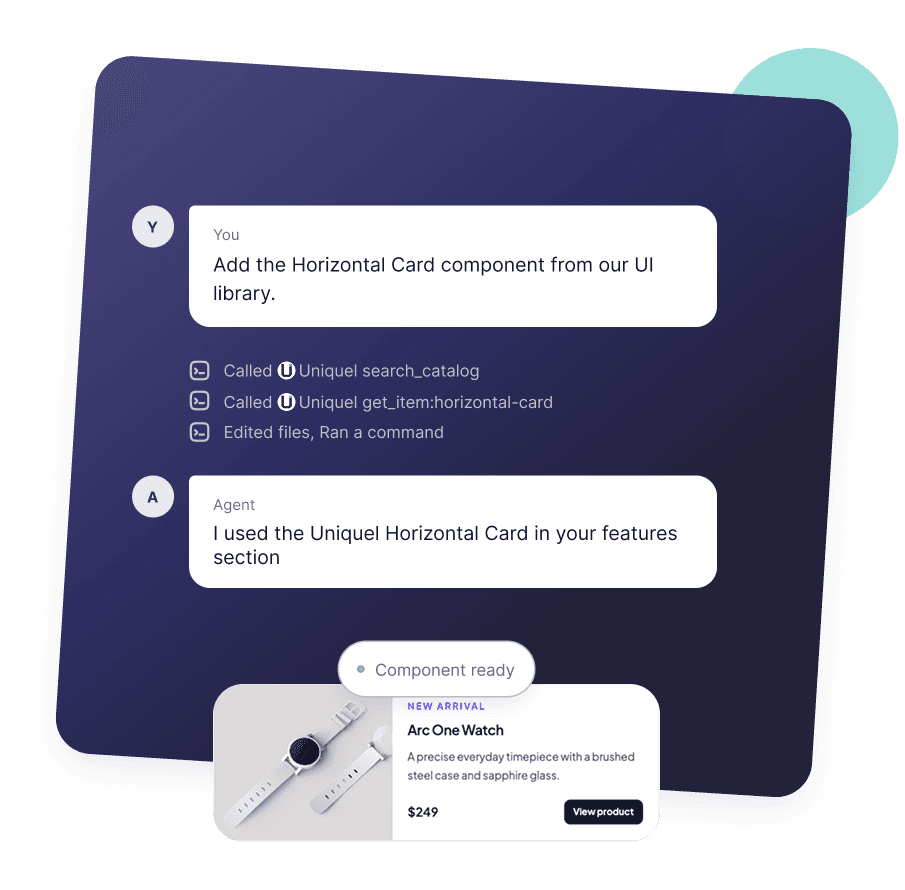
Connect Claude, Codex, or Cursor to Uniquel. Search the UI library in plain language and bring production-ready components into your project.
Get started
Connect your favorite coding agent
- 1
Open Settings → Connectors and add a custom connector.
- 2
Paste the Uniquel MCP endpoint and approve the sign-in request.
https://uniquel.io/api/mcp - 3
Enable Uniquel in Search and tools, then start a new conversation.
How to get the most out of the UI library MCP.
2
Retrieve your first component
Ask your agent to find a useful free component for your project.
Starter prompt
Use the Uniquel MCP to find a free component that would improve this project, then show me the best match before adding it.3
4
Define your color tokens
Create a matching light and dark theme before building your interface.
Open theme generator5
Make Uniquel part of your workflow
Add this rule to AGENTS.md so your agent checks Uniquel first.
AGENTS.md
Before building a new page, section, or reusable UI component, search the Uniquel MCP catalog and reuse a suitable result when available.6
Unlock All Access
Retrieve premium blocks and components directly through MCP.
How it works
From prompt to interface

1
Describe the UI you need
Ask naturally for a pricing section, navigation, card, or another interface pattern.

2
Uniquel finds the match
The MCP searches the catalog and selects the closest component for your request.

3
Add the component
Your agent retrieves the source and adds the finished component to your project.
FAQ
Common questions
Everything you need to know about connecting and using the Uniquel MCP.
What is the Uniquel MCP?
It is a remote MCP server that lets your AI agent search the Uniquel catalog and retrieve component source without leaving your workflow.
Which AI agents can I connect?
Uniquel works with Claude, Codex, Cursor, and other clients that support remote HTTP MCP servers.
Do I need a Uniquel account?
Yes. The connection uses secure OAuth so access stays tied to your Uniquel account.
Can the MCP access Pro components?
All Access members can retrieve premium block source alongside the free component library.
Will it add components to my project?
Your agent retrieves the source and can add it to your project using the normal approval flow in your chosen client.